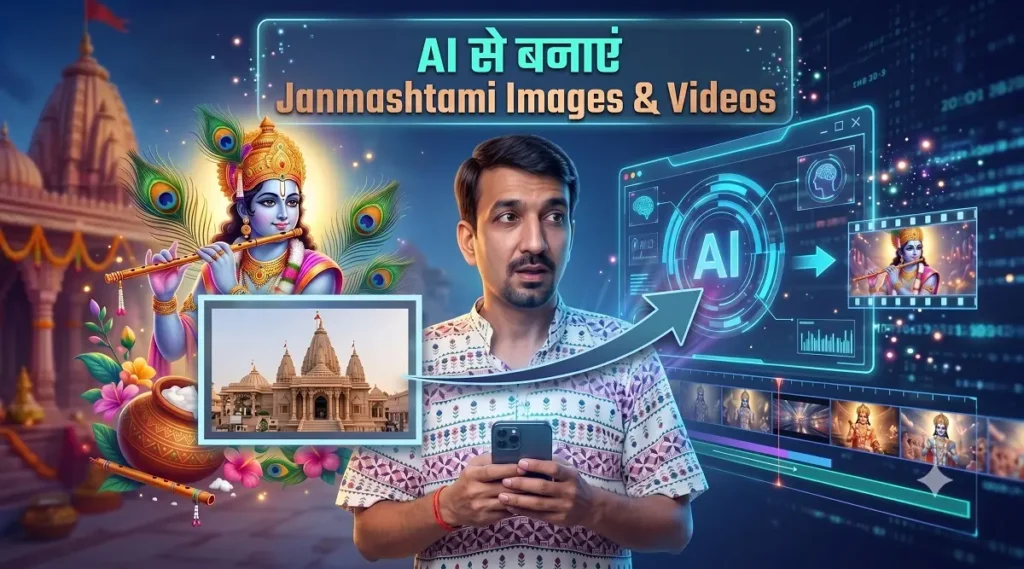
How to Create Janmashtami AI Images and Videos? Make Stunning Krishna Photos and Reels with Gemini, Kling AI, and Seedance
Janmashtami is one of the most popular religious and cultural festivals in India. On this occasion, people share pictures of Lord Krishna, devotional videos, WhatsApp Statuses, Instagram Reels, YouTube Shorts, and social media posts. Now, with the help of Artificial Intelligence (AI), you can create stunning Janmashtami AI Images and Cinematic Krishna Videos straight from your imagination.
Today, AI tools like Gemini, Kling AI, and Seedance have made content creation very easy. You can upload your photo and transform it into a Mathura-Vrindavan devotee, a Krishna bhakt, a character playing the flute, or a grand Janmashtami celebration scene.
Idea → Gemini → AI Image → Kling AI/Seedance → AI Video → Editing → Instagram Reel/YouTube Short
What Can You Create for Janmashtami using AI?
With the help of AI tools, you can create not just a single photo but an entire creative content package:
- Artistic AI images of Lord Krishna
- Janmashtami themed portraits using your own photo
- Cinematic photos of yourself as a Krishna devotee
- Mathura and Vrindavan style backgrounds
- Cinematic storytelling of Krishna’s birth
- Bal Gopal themed AI videos
- Dahi Handi celebration videos
- Krishna Bhakti Instagram Reels
- YouTube Shorts
- Janmashtami promotional videos
- Animated visuals for devotional quotes
- Social media content for local temples and religious events
How to Create Janmashtami AI Images with Gemini?
Google Gemini can be used to brainstorm creative ideas, image generation/editing, and video concepts. Image generation and editing are available in Gemini Apps, where users can provide prompts to edit generated images or their uploaded images. Feature availability may vary based on account, country, and plan.
The best way to use Gemini is to first describe the concept in your mind in detail. For example, instead of just writing “Make a Krishna photo,” specify the clothes, background, lighting, mood, and photography style.
Formula for Generating Better Images in Gemini
Example:
How to Create a Janmashtami AI Photo by Uploading Your Image?
If you want to transform your own picture into a Janmashtami theme, first select a clean, high-quality portrait photo. Your face should be clearly visible and the photo shouldn’t be blurry.
- Keep your clean portrait photo ready.
- Upload it to Gemini or any available AI image editor.
- Paste your preferred prompt from the list below.
- Instruct the AI to keep the face natural and recognizable.
- Carefully check the generated result.
- Use the best image in Kling AI or Seedance to generate a video.
10 Stunning Janmashtami AI Prompts to Use with Your Uploaded Photo
1. Vrindavan Devotee Look
2. Lord Krishna Temple Darshan
3. Matki and Dahi Handi Scene
4. Peacock Feather and Flute Theme
5. Streets of Vrindavan
6. Janmashtami with Family
7. Modern Krishna Devotee Portrait
8. Divine Temple Lighting Scene
9. Janmashtami Poster Photo
10. Perfect Starting Image for AI Video
How to Plan a Janmashtami Video using Gemini?
You can use Gemini as your AI Creative Director. First, ask it to prepare a story, script, scene breakdown, and video prompts. Current video generation workflows in Gemini Apps allow for creation and editing with text and image/video references; availability may depend on your plan and account.
What is Kling AI and How is it Useful for Janmashtami Content?
Kling AI is an AI creative platform useful for text-to-video, image-to-video, and reference-based video workflows. Kling AI 3.0 reportedly features better narrative control, multimodal workflows, character consistency, native audio, and capabilities for extended video generation up to approximately 15 seconds.
What Can You Do with Kling AI?
- Generate AI videos from text
- Turn images into moving cinematic videos
- Animate your own photos
- Control camera movements
- Attempt to maintain character consistency
- Create reference-based videos
- Make talking character videos
- Create promotional advertisements
- Produce short films and storytelling videos
- Generate Instagram Reels and YouTube Shorts
How to Convert a Janmashtami Image to Video using Kling AI?
- First, create a good Krishna-themed image using Gemini or another AI tool.
- Select the Image-to-Video option in Kling AI.
- Upload your image.
- Write a motion prompt.
- Describe what the character will do.
- Define the camera movement as well.
- Generate the video and pick the best result.
Janmashtami Image-to-Video Prompt for Kling AI
What is Seedance and How Can It Help in Social Media Growth?
Seedance is an AI video generation model by ByteDance. Seedance 2.5 includes capabilities like single-pass storytelling up to 30 seconds, multiple rounds of extension, multimodal references, and more controlled editing. According to official information, it can be specifically useful for complex scenes and longer narrative workflows.
For a social media creator, this means instead of a single static image, you can create story-based videos. For example:
Scene 2: Devotee walking towards the temple
Scene 3: Janmashtami decorations
Scene 4: Emotional devotional moment
Scene 5: Powerful Janmashtami message
How to Grow on Social Media Using Seedance?
Just generating and uploading an AI video is not a growth strategy. For better results, you need to build a content system.
1. Create a Festival Content Series
Instead of posting one video on a single day, create a 7-day content series leading up to Janmashtami.
- Day 1 – Krishna AI Image Tutorial
- Day 2 – Janmashtami Photo from your own picture
- Day 3 – AI Krishna Reel
- Day 4 – 5 Viral Prompts
- Day 5 – Behind the Scenes
- Day 6 – Emotional Krishna Story
- Day 7 – Janmashtami Special Video
2. Focus on the First 3 Seconds
Start your Reel with a powerful visual or emotional line:
Hook: “AI has made Janmashtami so beautiful…”
Hook: “Watch this method to turn your photo into a Krishna devotee…”
3. Repurpose One Video into Multiple Pieces of Content
From one Seedance or Kling AI video, you can create an Instagram Reel, YouTube Short, Facebook Reel, WhatsApp Status, and a festival post. This significantly increases content production efficiency.
How to Build a Career by Learning Kling AI?
AI video creation is a rapidly growing creative skill. But just clicking a button on a tool isn’t enough to build a career. You also need to learn creativity and marketing skills alongside AI.
| Career Option | What You Can Do? |
|---|---|
| AI Video Creator | Reels, Shorts, and cinematic videos |
| AI Image Designer | Festival and promotional images |
| Freelancer | AI content for clients |
| Social Media Manager | Regular content for brands |
| AI Ad Creator | Products and local business ads |
| YouTube Creator | AI tutorials and entertainment content |
| Digital Agency | AI-based creative services |
Which Skills Should You Learn to Become an AI Content Creator?
1. Prompt Writing
2. AI Image Generation
3. Kling AI / Video Generation
4. Seedance Storytelling
5. Video Editing
6. Thumbnail Design
7. Script Writing
8. Social Media Strategy
9. Client Communication
10. Basic Understanding of Copyright and AI Ethics
Best Workflow for Gemini + Kling AI + Seedance
| Tool | Main Task |
|---|---|
| Gemini | Ideas, scripts, prompts, image/video concepts |
| Kling AI | Image-to-video and cinematic animation |
| Seedance | Longer storytelling and reference-based creative workflows |
You do not need to use all three tools in every project. Initially, prepare the concept and prompt with Gemini. Then, choose Kling AI for image animation or Seedance for a storytelling-based video workflow.
Avoid These Mistakes While Creating Janmashtami AI Content
- Don’t write highly generic prompts.
- Avoid putting too many actions in a single video.
- Always check AI-generated hands and faces before publishing.
- Be mindful of privacy when uploading your photo.
- Do not use someone else’s photo for commercial use without permission.
- Understand the usage rights of copyrighted characters and brand assets.
- Respect religious sentiments.
- Avoid misleading or deceptive AI content.
Conclusion
The occasion of Janmashtami has brought a fantastic opportunity for creators through AI technology. Now you can plan your creativity with Gemini, give cinematic motion to static images with Kling AI, and produce storytelling content with advanced AI video workflows like Seedance.
The most important thing is not to treat AI merely as a shortcut. Combine it with your creativity, storytelling, editing, and audience understanding. For creators who continuously experiment with new ideas and produce high-quality content, AI content creation can become a crucial creative skill in the future.
Start Creating Your First Janmashtami AI Image or Video
Start with a simple prompt first, then gradually learn cinematic storytelling.
Try Gemini Open Kling AI Explore SeedanceJanmashtami AI Images और Videos कैसे बनाएं? Gemini, Kling AI और Seedance से बनाएं शानदार कृष्ण Photos और Reels
जन्माष्टमी भारत के सबसे लोकप्रिय धार्मिक और सांस्कृतिक त्योहारों में से एक है। इस अवसर पर लोग भगवान श्रीकृष्ण की तस्वीरें, कृष्ण भक्ति वीडियो, WhatsApp Status, Instagram Reels, YouTube Shorts और सोशल मीडिया पोस्ट शेयर करते हैं। अब Artificial Intelligence यानी AI की मदद से आप अपनी कल्पना के अनुसार शानदार Janmashtami AI Images और Cinematic Krishna Videos बना सकते हैं।
आज Gemini, Kling AI और Seedance जैसे AI tools ने content creation को काफी आसान बना दिया है। आप अपनी photo upload करके उसे मथुरा-वृंदावन के भक्त, कृष्ण भक्त, बांसुरी बजाते हुए character या जन्माष्टमी celebration scene में बदल सकते हैं।
Idea → Gemini → AI Image → Kling AI/Seedance → AI Video → Editing → Instagram Reel/YouTube Short
Janmashtami के लिए AI से क्या-क्या बना सकते हैं?
AI tools की मदद से केवल एक फोटो नहीं बल्कि पूरा creative content package तैयार किया जा सकता है।
- भगवान श्रीकृष्ण की artistic AI images
- अपनी फोटो के साथ Janmashtami themed portrait
- कृष्ण भक्त के रूप में cinematic फोटो
- मथुरा और वृंदावन style backgrounds
- कृष्ण जन्म की cinematic कहानी
- बाल गोपाल themed AI videos
- दही हांडी celebration videos
- Krishna Bhakti Instagram Reels
- YouTube Shorts
- Janmashtami promotional videos
- भक्ति quotes के लिए animated visuals
- Local मंदिर और धार्मिक कार्यक्रमों के लिए social media content
Gemini से Janmashtami AI Images कैसे बनाएं?
Google Gemini का उपयोग creative ideas, image generation/editing और video concepts तैयार करने के लिए किया जा सकता है। Gemini Apps में image generation और editing उपलब्ध है, जिसमें users generated image या अपनी uploaded image को edit करने के लिए prompt दे सकते हैं। Feature availability account, country और plan के अनुसार अलग हो सकती है।
Gemini का सबसे अच्छा उपयोग यह है कि आप पहले अपने मन में मौजूद concept को विस्तार से लिखें। उदाहरण के लिए केवल “Krishna photo बनाओ” लिखने की बजाय आप कपड़े, background, lighting, mood और photography style भी बताएं।
Gemini में बेहतर Image बनाने का Formula
उदाहरण:
अपनी Photo Upload करके Janmashtami AI Photo कैसे बनाएं?
अगर आप अपनी खुद की तस्वीर को Janmashtami theme में बदलना चाहते हैं तो पहले एक साफ और अच्छी quality वाली portrait photo चुनें। चेहरा स्पष्ट दिखाई देना चाहिए और photo बहुत ज्यादा blurry नहीं होनी चाहिए।
- अपनी साफ portrait photo तैयार करें।
- Gemini या किसी उपलब्ध AI image editor में upload करें।
- नीचे दिए गए prompts में से पसंद का prompt paste करें।
- चेहरे को natural और recognizable रखने का निर्देश दें।
- Generated result को ध्यान से check करें।
- Best image को Kling AI या Seedance में video बनाने के लिए इस्तेमाल करें।
अपनी Photo Upload करके बनाने के लिए 10 शानदार Janmashtami AI Prompts
1. वृंदावन भक्त Look
2. श्रीकृष्ण मंदिर दर्शन
3. मटकी और दही हांडी Scene
4. मोरपंख और बांसुरी Theme
5. वृंदावन की गलियां
6. परिवार के साथ जन्माष्टमी
7. Modern Krishna Devotee Portrait
8. दिव्य मंदिर प्रकाश Scene
9. Janmashtami Poster Photo
10. AI Video के लिए Perfect Starting Image
Gemini से Janmashtami Video बनाने की Planning कैसे करें?
Gemini को आप अपने AI Creative Director की तरह इस्तेमाल कर सकते हैं। पहले उससे कहानी, script, scene breakdown और video prompts तैयार करवाएं। Gemini Apps में वर्तमान video generation workflow text तथा image/video references के साथ creation और editing की सुविधा देता है; उपलब्धता plan और account पर निर्भर हो सकती है।
Kling AI क्या है और Janmashtami Content के लिए कैसे उपयोगी है?
Kling AI एक AI creative platform है जो text-to-video, image-to-video और reference-based video workflows के लिए उपयोगी है। Kling AI 3.0 में बेहतर narrative control, multimodal workflows, character consistency, native audio और लगभग 15 सेकंड तक extended video generation जैसी capabilities बताई गई हैं।
Kling AI से क्या-क्या कर सकते हैं?
- Text से AI video बनाना
- Image को moving cinematic video में बदलना
- अपनी photo को animate करना
- Camera movement control करना
- Character consistency बनाए रखने का प्रयास
- Reference-based videos बनाना
- Talking character videos
- Promotional advertisements
- Short films और storytelling videos
- Instagram Reels और YouTube Shorts
Kling AI से Janmashtami Image को Video में कैसे बदलें?
- पहले Gemini या अन्य AI tool से एक अच्छी Krishna-themed image बनाएं।
- Kling AI में Image-to-Video option चुनें।
- अपनी image upload करें।
- Motion prompt लिखें।
- बताएं कि character क्या करेगा।
- Camera movement भी define करें।
- Video generate करें और best result चुनें।
Kling AI के लिए Janmashtami Image-to-Video Prompt
Seedance क्या है और Social Media Growth में कैसे मदद कर सकता है?
Seedance ByteDance का AI video generation model है। Seedance 2.5 में 30 सेकंड तक single-pass storytelling, multiple rounds of extension, multimodal references और more controlled editing जैसी capabilities शामिल हैं। Official information के अनुसार यह complex scenes और longer narrative workflows के लिए विशेष रूप से उपयोगी हो सकता है।
Social media creator के लिए इसका मतलब है कि एक single static image के बजाय आप कहानी आधारित videos तैयार कर सकते हैं। उदाहरण के लिए:
Scene 2: भक्त मंदिर की ओर जाता है
Scene 3: जन्माष्टमी की सजावट
Scene 4: भावनात्मक devotional moment
Scene 5: Powerful Janmashtami message
Seedance का इस्तेमाल करके Social Media पर कैसे Grow करें?
AI video केवल generate करके upload करना growth strategy नहीं একা है। बेहतर results के लिए आपको content system बनाना चाहिए।
1. Festival Content Series बनाएं
एक ही दिन एक video डालने की बजाय Janmashtami से पहले 7 दिन की content series बनाएं।
- Day 1 – Krishna AI Image Tutorial
- Day 2 – अपनी फोटो से Janmashtami Photo
- Day 3 – AI Krishna Reel
- Day 4 – 5 Viral Prompts
- Day 5 – Behind the Scenes
- Day 6 – Emotional Krishna Story
- Day 7 – Janmashtami Special Video
2. पहले 3 Seconds पर ध्यान दें
Reel की शुरुआत powerful visual या emotional line से करें:
Hook: “AI ने जन्माष्टमी को इतना खूबसूरत बना दिया…”
Hook: “अपनी फोटो को कृष्ण भक्त में बदलने का ये तरीका देखिए…”
3. एक Video से Multiple Content बनाएं
एक Seedance या Kling AI video से आप Instagram Reel, YouTube Short, Facebook Reel, WhatsApp Status और festival post बना सकते हैं। इससे content production की efficiency बढ़ सकती है।
Kling AI सीखकर Career कैसे बनाया जा सकता है?
AI video creation एक तेजी से विकसित हो रही creative skill है। लेकिन केवल किसी tool का button दबाना career बनाने के लिए पर्याप्त नहीं है। आपको AI के साथ creativity और marketing skills भी सीखनी होंगी।
| Career Option | आप क्या कर सकते हैं? |
|---|---|
| AI Video Creator | Reels, Shorts और cinematic videos |
| AI Image Designer | Festival और promotional images |
| Freelancer | Clients के लिए AI content |
| Social Media Manager | Brands के लिए regular content |
| AI Ad Creator | Products और local business ads |
| YouTube Creator | AI tutorials और entertainment content |
| Digital Agency | AI-based creative services |
AI Content Creator बनने के लिए कौन-कौन सी Skills सीखें?
1. Prompt Writing
2. AI Image Generation
3. Kling AI / Video Generation
4. Seedance Storytelling
5. Video Editing
6. Thumbnail Design
7. Script Writing
8. Social Media Strategy
9. Client Communication
10. Copyright और AI Ethics की Basic Understanding
Gemini + Kling AI + Seedance का Best Workflow
| Tool | मुख्य काम |
|---|---|
| Gemini | Ideas, scripts, prompts, image/video concepts |
| Kling AI | Image-to-video और cinematic animation |
| Seedance | Longer storytelling और reference-based creative workflows |
आपको हर project में तीनों tools इस्तेमाल करने की जरूरत नहीं है। शुरुआत में Gemini से concept और prompt तैयार करें। फिर Kling AI से image animation या Seedance से storytelling-based video workflow चुनें।
Janmashtami AI Content बनाते समय इन गलतियों से बचें
- बहुत generic prompts न लिखें।
- एक video में बहुत ज्यादा actions न डालें।
- AI-generated hands और face को publish करने से पहले check करें।
- अपनी फोटो upload करते समय privacy का ध्यान रखें।
- दूसरे व्यक्ति की photo बिना permission commercial use न करें।
- Copyrighted characters और brand assets के उपयोग के अधिकार समझें।
- धार्मिक भावनाओं का सम्मान करें।
- Misleading या deceptive AI content से बचें।
निष्कर्ष
Janmashtami के अवसर पर AI technology creators के लिए एक शानदार अवसर लेकर आई है। अब आप अपनी creativity को Gemini की मदद से plan कर सकते हैं, Kling AI से static image को cinematic motion दे सकते हैं और Seedance जैसे advanced AI video workflows से storytelling content तैयार कर सकते हैं।
सबसे महत्वपूर्ण बात यह है कि AI को केवल एक shortcut न समझें। इसे अपनी creativity, storytelling, editing और audience understanding के साथ जोड़ें। जो creator लगातार नए ideas पर experiment करेगा और high-quality content बनाएगा, उसके लिए AI content creation भविष्य में एक महत्वपूर्ण creative skill बन सकती है।
AI से अपनी पहली Janmashtami Image या Video बनाना शुरू करें
पहले एक simple prompt से शुरुआत करें, फिर धीरे-धीरे cinematic storytelling सीखें।
Gemini Try करें Kling AI खोलें Seedance जानें