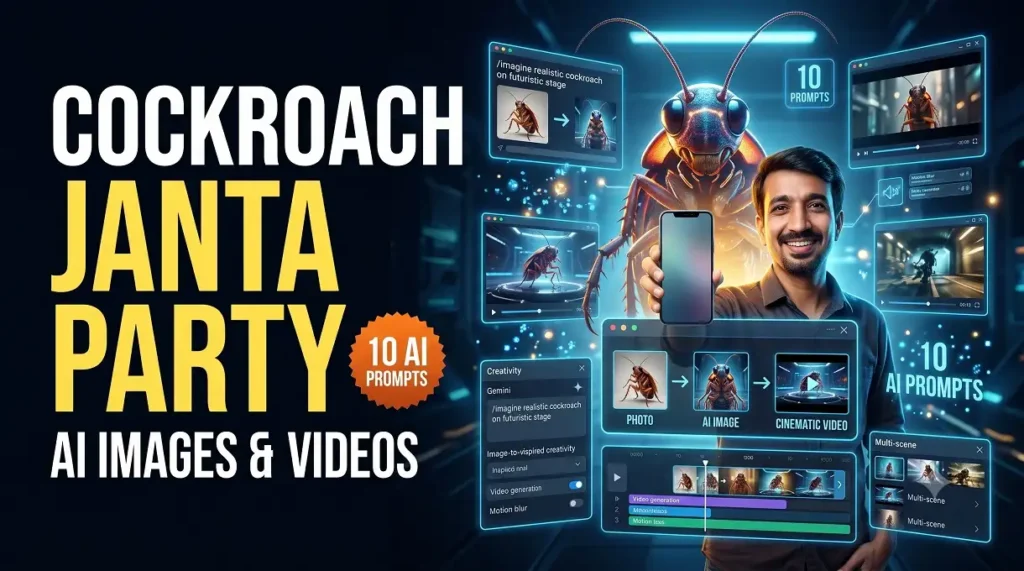
Cockroach Janta Party AI Images & Videos: Complete Guide to Gemini, Kling AI and Seedance
The Cockroach Janta Party (CJP) has become a widely discussed internet and social-media phenomenon in India. Its symbolic visual identity, satire and meme culture have inspired creators to experiment with AI-generated posters, fictional campaign-style visuals, humorous characters and short cinematic videos.
For creators, the opportunity is not simply to copy a viral image. The real opportunity is to understand how to use AI image generation, image-to-video, storytelling and short-form content to create original, responsible and visually engaging content.
Idea → Gemini → AI Image → Kling AI / Seedance → Video → Edit → Instagram Reel / YouTube Short
What Can You Create With This AI Trend?
- Creative AI posters
- Satirical fictional artwork
- Symbolic mascot illustrations
- Personalized AI portraits
- Funny meme visuals
- Cinematic urban scenes
- Instagram Reels
- YouTube Shorts
- Animated social-media posts
- Short fictional stories
- AI awareness content
How to Create AI Images Using Gemini?
Gemini can be useful during the creative planning stage. Start with a simple concept and ask the AI to improve it into a detailed production prompt. Instead of writing only “make a cockroach trend image,” describe the character, location, lighting, camera composition and visual mood.
Subject + Appearance + Action + Environment + Lighting + Camera + Mood + Style
For example, Gemini can help you create a complete creative brief, poster concept, video storyboard, captions and alternative prompts before you move into an image or video-generation workflow.
How to Create an AI Image From Your Uploaded Photo?
- Select a clear portrait photo.
- Use an AI tool that supports image reference or editing.
- Upload your image.
- Clearly ask the tool to preserve your recognizable facial identity.
- Describe the fictional environment and creative style.
- Review the generated image carefully.
- Use the best image as a reference for image-to-video generation.
10 AI Prompts Using Your Uploaded Photo
1. Cinematic Youth Poster
2. “Main Bhi Cockroach” Creative Poster
3. Futuristic AI Creator
4. Editorial Satire Artwork
5. Viral Social Media Creator
6. Comic Character Style
7. Fictional Documentary Scene
8. Funny Meme Poster
9. Image-to-Video Starting Frame
10. Premium Vertical Trend Poster
What Is Kling AI and What Can You Do With It?
Kling AI provides a creative workflow for generating images and videos from text and references. Its current Kling 3.0 platform includes text-to-video, image-to-video and multimodal creative workflows, with stronger character consistency, native audio and longer narrative control.
- Text-to-video creation
- Image-to-video animation
- Reference-based video generation
- Motion and camera direction
- Character consistency workflows
- Native audio and lip-sync capabilities
- Short cinematic stories
- Social-media Reels
- Product advertisements
- Creative short films
How to Turn an AI Image Into a Video With Kling AI?
- Create or select your best reference image.
- Open Kling AI’s image-to-video workflow.
- Upload the image.
- Describe only the movement you want.
- Add camera instructions.
- Keep actions simple for better control.
- Generate multiple versions and select the strongest output.
How Can Seedance Help You Grow on Social Media?
Seedance 2.5 is designed for longer AI storytelling, multimodal references and more controlled editing. For a creator, this can be useful when a concept needs multiple scenes, stronger continuity or a larger collection of references.
Trend + Strong Hook + Unique Visual + Short Story + Fast Editing + Consistent Publishing
Use the First Three Seconds
- “This AI trend is taking over social media…”
- “I turned one photo into a cinematic AI video…”
- “Can AI create a viral visual from a simple idea?”
Create a Content Series
- Day 1: Explain the trend
- Day 2: Show AI image creation
- Day 3: Share free prompts
- Day 4: Image-to-video tutorial
- Day 5: Behind the scenes
- Day 6: Best audience creations
- Day 7: Complete cinematic Reel
Can You Build a Career by Learning Kling AI?
Learning one AI tool alone does not guarantee a career. However, combining AI generation with design, storytelling, editing and marketing can help creators develop useful professional services.
| Career Area | Potential Work |
|---|---|
| AI Video Creator | Reels, ads and short videos |
| AI Image Designer | Posters and social-media visuals |
| Freelancer | Creative client projects |
| Social Media Creator | Regular content packages |
| AI Ad Creator | Product and business videos |
| Storytelling Creator | Short films and visual narratives |
Skills You Should Learn Along With AI Tools
AI Image Generation
AI Video Generation
Storytelling
Video Editing
Thumbnail Design
Script Writing
Social Media Strategy
Client Communication
Copyright and AI Ethics
Complete Gemini + Kling AI + Seedance Workflow
| Tool | Best Use |
|---|---|
| Gemini | Ideas, scripts, prompts and storyboards |
| AI Image Tool | Create visual concepts and reference images |
| Kling AI | Image-to-video and cinematic animation |
| Seedance | Longer storytelling and multi-reference videos |
| Video Editor | Captions, music and final publishing |
Common Mistakes to Avoid
- Do not present fictional AI visuals as factual news.
- Avoid fake endorsements from real people.
- Do not use someone’s likeness commercially without permission.
- Check faces, hands and text before publishing.
- Avoid copying copyrighted logos or brand assets without rights.
- Do not sacrifice storytelling just because the AI visuals look impressive.
Final Thoughts
Viral trends can be an excellent opportunity to learn creative AI workflows. Gemini can help with ideation and scripting, Kling AI can animate images into cinematic clips, and Seedance can support more ambitious reference-driven storytelling.
The long-term advantage, however, comes from your ability to combine AI tools + creativity + storytelling + editing + audience understanding. AI generates the raw material; the creator gives it purpose.
🔥 Explore the AI Prompt Pack
Get ready-to-use prompts and start creating your own AI images and videos.
🚀 VIEW PROMPT PACKCockroach Janta Party AI Images और Videos कैसे बनाएं? Gemini, Kling AI और Seedance की पूरी Guide
Cockroach Janta Party (CJP) इन दिनों भारत के इंटरनेट और सोशल मीडिया पर चर्चा का विषय रहा है। इसके symbolic visuals, satire और meme culture से प्रेरित होकर creators AI-generated posters, fictional artwork और cinematic short videos बना रहे हैं।
लेकिन एक अच्छे creator के लिए केवल viral image copy करना काफी नहीं है। असली skill है AI image generation, image-to-video, storytelling और short-form content creation को समझकर original और responsible content बनाना।
Idea → Gemini → AI Image → Kling AI / Seedance → Video → Editing → Instagram Reel / YouTube Short
इस AI Trend पर क्या-क्या बनाया जा सकता है?
- Creative AI Posters
- Satirical fictional artwork
- Symbolic mascot illustrations
- अपनी photo के साथ AI portraits
- Funny meme visuals
- Cinematic urban scenes
- Instagram Reels
- YouTube Shorts
- Animated social media posts
- Short fictional stories
Gemini से Creative AI Images कैसे बनाएं?
Gemini को creative planning assistant की तरह इस्तेमाल किया जा सकता है। पहले अपना basic idea लिखें और फिर Gemini से उसे एक detailed production prompt में बदलवाएं। केवल “Cockroach trend image बनाओ” लिखने के बजाय character, background, lighting, camera angle और mood बताएं।
Subject + Appearance + Action + Background + Lighting + Camera + Mood + Style
अपनी Photo Upload करके AI Image कैसे बनाएं?
- एक साफ portrait photo चुनें।
- ऐसा AI tool खोलें जिसमें image reference या editing उपलब्ध हो।
- अपनी photo upload करें।
- Face को recognizable रखने का स्पष्ट निर्देश दें।
- Creative environment और style बताएं।
- Generated result ध्यान से check करें।
- Best image को image-to-video के लिए इस्तेमाल करें।
अपनी Photo Upload करके बनाने के लिए 10 AI Prompts
1. Cinematic Youth Poster
2. Main Bhi Cockroach Poster
3. Futuristic AI Creator Look
4. Editorial Satire Artwork
5. Viral Digital Creator
6. Comic Book Character
7. Fictional Documentary Scene
8. Funny Meme Poster
9. AI Video Starting Image
10. Premium 9:16 Trend Poster
Kling AI क्या है और इससे क्या-क्या कर सकते हैं?
Kling AI एक AI creative platform है जिसका उपयोग text और reference inputs से images तथा videos बनाने के लिए किया जा सकता है। Kling 3.0 में text-to-video, image-to-video, multimodal workflows, बेहतर character consistency और native audio जैसे creative features उपलब्ध हैं।
- Text-to-Video
- Image-to-Video
- Reference-based videos
- Motion और camera direction
- Character consistency workflows
- Native audio और lip-sync
- Short cinematic stories
- Instagram Reels
- Advertisements
- Creative short films
Kling AI से Image को Video में कैसे बदलें?
- सबसे पहले एक अच्छी reference image तैयार करें।
- Kling AI में Image-to-Video चुनें।
- अपनी image upload करें।
- बताएं कि character क्या movement करेगा।
- Camera movement लिखें।
- एक scene में actions सीमित रखें।
- Multiple versions generate करके best चुनें।
Seedance से Social Media पर कैसे Grow करें?
Seedance 2.5 जैसे advanced AI video workflows लंबे storytelling scenes, multiple references और ज्यादा controlled editing के लिए उपयोगी हो सकते हैं। लेकिन केवल AI video बनाने से growth नहीं आती। आपको मजबूत hook, story और consistent publishing strategy भी चाहिए।
Trending Topic + Strong Hook + Unique Visual + Short Story + Fast Editing + Consistency
पहले 3 Seconds बहुत महत्वपूर्ण हैं
- “ये AI trend सोशल मीडिया पर इतना वायरल क्यों हो रहा है?”
- “मैंने सिर्फ एक photo को cinematic video में बदल दिया…”
- “क्या AI एक simple idea से viral visual बना सकता है?”
Content Series बनाएं
- Day 1 – Trend के बारे में बताएं
- Day 2 – AI image tutorial
- Day 3 – Free prompts
- Day 4 – Image-to-video tutorial
- Day 5 – Behind the scenes
- Day 6 – Audience creations
- Day 7 – Complete cinematic Reel
Kling AI सीखकर Career कैसे बनाया जा सकता है?
केवल एक AI tool सीख लेने से career या income की guarantee नहीं होती। लेकिन AI generation को design, storytelling, editing और marketing के साथ जोड़कर professional creative services विकसित की जा सकती हैं।
| Career Area | संभावित काम |
|---|---|
| AI Video Creator | Reels, Ads और Short Videos |
| AI Image Designer | Posters और Social Media Visuals |
| Freelancer | Client Projects |
| Social Media Creator | Monthly Content Packages |
| AI Ad Creator | Product और Business Videos |
| Storytelling Creator | Short Films और Visual Stories |
AI Creator बनने के लिए कौन-कौन सी Skills सीखें?
✓ AI Image Generation
✓ AI Video Generation
✓ Storytelling
✓ Video Editing
✓ Thumbnail Design
✓ Script Writing
✓ Social Media Strategy
✓ Client Communication
✓ Copyright और AI Ethics
Gemini + Kling AI + Seedance का Complete Workflow
| Tool | मुख्य उपयोग |
|---|---|
| Gemini | Ideas, Scripts, Prompts और Storyboards |
| AI Image Tool | Visual Concepts और Reference Images |
| Kling AI | Image-to-Video और Cinematic Animation |
| Seedance | Longer Storytelling और Multi-reference Videos |
| Video Editor | Captions, Music और Final Editing |
इन गलतियों से बचें
- काल्पनिक AI visual को वास्तविक news की तरह प्रस्तुत न करें।
- किसी वास्तविक व्यक्ति का fake endorsement न बनाएं।
- बिना permission किसी की likeness का commercial इस्तेमाल न करें।
- Publish करने से पहले face और hands check करें।
- Copyrighted logos या assets बिना अधिकार इस्तेमाल न करें।
- केवल सुंदर visual पर निर्भर न रहें—storytelling जरूरी है।
निष्कर्ष
Viral trends AI creators के लिए नए creative experiments का अवसर हो सकते हैं। Gemini से ideas और scripts तैयार किए जा सकते हैं, Kling AI से static images को cinematic videos में बदला जा सकता है और Seedance से ज्यादा complex storytelling workflows explore किए जा सकते हैं।
लंबे समय में सफलता का आधार केवल AI tool नहीं बल्कि AI + Creativity + Storytelling + Editing + Audience Understanding का combination होगा। AI raw material तैयार कर सकता है, लेकिन उसे meaningful content में बदलना creator की skill है।
🔥 AI Prompt Pack देखें
Ready-to-use prompts के साथ अपनी AI images और videos बनाना शुरू करें।
🚀 PROMPT PACK देखें